















Short answer: A wireless alarm system consists of sensors, a central control panel, a siren and an app. As soon as a sensor detects something, it sends a message to the control panel via a radio signal. If the system is armed, the control panel sounds the siren and sends a notification to your phone. No cables are involved: only the control panel needs power, and the sensors run on batteries.
Our solution
Alarm system for your home
Install it yourself, expand it whenever you like, and no monthly contract. See which setup suits your home.
View the options
Key takeaways
- Wireless refers to the connection, not the power: the sensors run on batteries, the control panel plugs into a socket.
- Four components: sensors that detect, a control panel that decides, a siren that makes noise and an app that reaches you.
- The control panel is the decision-maker. A sensor only reports; whether the alarm goes off depends on whether the system is armed.
- The radio band is public. According to the RDI (the Dutch Authority for Digital Infrastructure), licence-exempt use of these frequencies is permitted, but users must accept interference from others.
- During a power cut, a backup battery takes over, and an external siren with its own battery keeps working too.
- Range depends on the technology: a standard sensor covers a home, LoRa sensors reach up to 500 metres.
- The alarm is the finishing touch: the Dutch police name good locks and hinges and lighting as the first measure.
From the outside, a wireless alarm system looks simple: a few boxes on the wall and an app on your phone. What happens between the two is exactly what determines whether the system does what you expect of it in practice. In this article, we follow that chain from start to finish: from the moment a sensor detects something to the alert on your screen.
The four components of a wireless alarm system
However extensive a system is, it always consists of the same four roles.
- The sensors detect. A motion detector sees heat moving through a room; a door/window contact notices that a door or window is opening; a glass break detector responds to the impact and vibration of breaking glass.
- The control panel is the brain. It knows which sensors belong to it, whether the system is armed or disarmed, and what should happen when an alert comes in.
- The siren makes a racket. That's not just to warn you, but above all to cut a break-in short: noise makes the job unattractive.
- The app brings the message to you, wherever you are.
The word “wireless” refers to the connection between those components, not to the power supply. The sensors run on batteries and so really aren't attached to anything. The control panel does need power; it's the only component for which you need a socket.
Step by step: from movement to alert
Between a door opening and your phone vibrating there are four steps, and they take place within a few seconds.
1. The sensor detects something
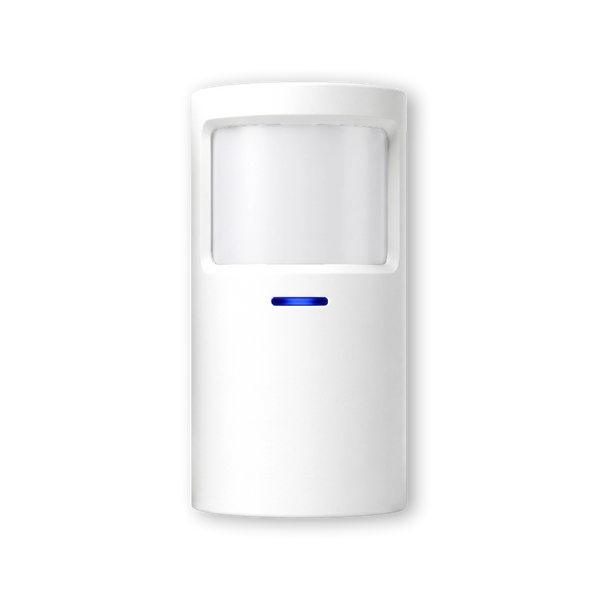
A motion detector works with infrared: it doesn't see an image, but registers the difference in heat between a person and the background, and whether that difference moves. As a result, it responds to someone walking through a room and not to a curtain moving. Such a detector has a fixed viewing angle and a fixed distance within which it works reliably; the ShieldSense, for example, covers 110 degrees up to about 8 metres. Where you mount it therefore determines what it sees.
A door/window contact works differently and much more simply: two parts, one on the door and one on the frame. If the two separate, that's the signal.
2. The signal goes to the control panel
The sensor then sends a short radio message to the control panel. Short is the key word: it doesn't transmit continuously, only at the moment something happens. That's exactly why sensors can run for years on one set of batteries.
That message also contains who the sender is. This way the control panel knows not only that something happened, but also where. If you give each detector its own name in the app — “back door”, “shed”, “landing” — an alert is immediately useful information rather than just a scare.
3. The control panel decides what happens
This is the step most people skip when they think of an alarm system, and it's the most important one. A sensor decides nothing; it only reports. The control panel determines what that report means.
If the system is disarmed, nothing special happens. If it's armed, the alarm follows. And many systems have an in-between mode: only the perimeter of the house is monitored, so you can walk to the kitchen at night while doors and windows are still armed.
4. Siren and alert
If the alarm goes off, two things happen at once. The siren wails — that works on the spot, because noise attracts attention and costs a burglar time. And the control panel sends a message to you.
How that message reaches you differs per system. The standard route is a notification in the app via the internet. Control panels with a SIM card have a second route: the ShieldLink® Pro and Elite can also send a text message and call you, even if Wi-Fi or power has failed. With those control panels you can even operate the system using SMS commands.
What a system without a subscription doesn't do is alert a professional monitoring centre or the police by itself. The alert comes to you, and you decide what the next step is. That's the honest limit of this model, and it's good to know it before you choose.
Why wireless works on a shared frequency
Wireless sensors use a radio band that is open to everyone. The Rijksinspectie Digitale Infrastructuur (RDI, the Dutch Authority for Digital Infrastructure) calls this licence-exempt frequency use: in the Netherlands you may use these frequencies without permission, with equipment that has limited transmission power and covers short distances. It's the same category that Wi-Fi, baby monitors and remote controls, for example, fall under.
There's a condition attached that is rarely explained. Because the band is public, you share it with other equipment, and the RDI states that licence-exempt users must accept interference from other users and must do as much as possible to prevent interference themselves. The RDI also doesn't investigate interference for this equipment; the manufacturer is responsible for proper operation. That's not a peculiarity of alarm systems — it applies to everything that transmits licence-exempt.
In practice you rarely notice this, because the messages are very short and seldom collide. If you want to reduce the chance further, a technology with a more penetrating signal helps: Neroo's Elite sensors use LoRa, which passes well through walls and floors and sets up a fully encrypted connection.
What if the power or internet goes down?
This is the question that makes the difference between a system that works and a system that works until it really matters. There are two kinds of outage, and each has its own answer.
Power cut. The control panel has a built-in backup battery; on the ShieldLink® Pro it lasts up to 24 hours. Just as important: the external siren works independently of the control panel and has its own backup battery, so there's still sound during a fault. The sensors run on batteries anyway and aren't affected by a power cut.
Internet outage. Without internet, the app notification doesn't arrive. Control panels with a SIM card solve this via the mobile network: text messages and a phone call still go through. If your control panel doesn't have that second route, the siren keeps working, but the message only reaches you once the connection is back.
How does the system know it's you?
Arming and disarming is the action you perform most often, so it has to be effortless. There are four ways, and which ones you have depends on the control panel.
- Via the app, even when you're out. Handy for checking whether the system really is on after you've driven off.
- On the control panel itself, with a code or via the touchscreen. The ShieldLink® Plus and Pro have a Dutch-language colour touchscreen.
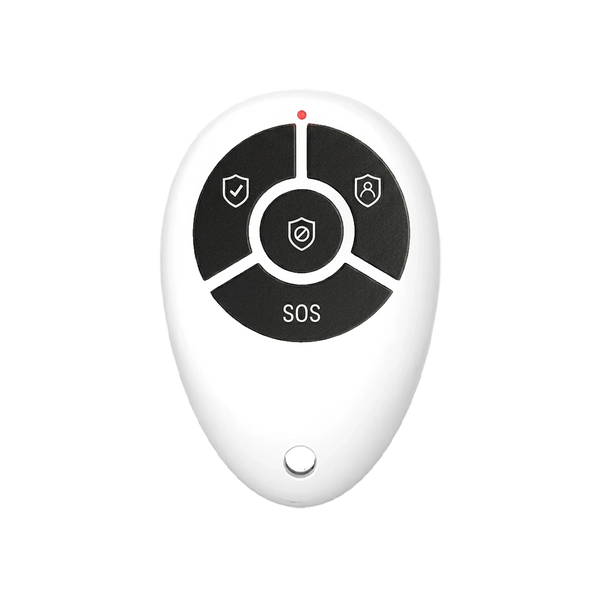
- With a remote control, the QuickLink, on your keyring.
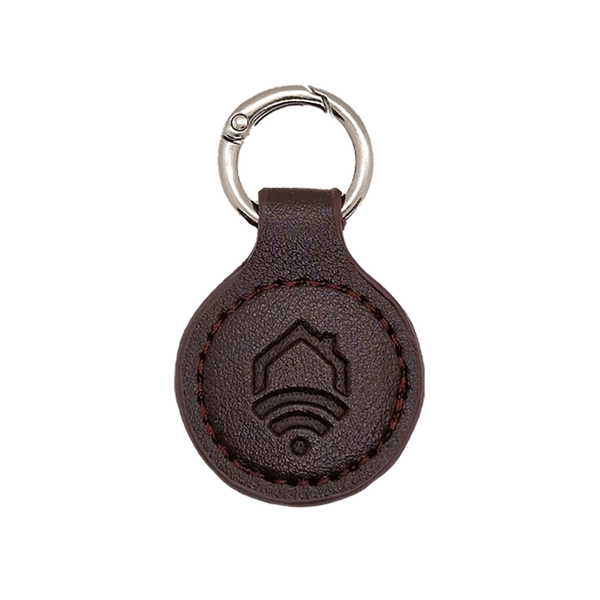
- With an RFID key fob. You hold it against the control panel and you're done — ideal for children or guests who don't need to remember a code. Note: the QuickTags work on the ShieldLink® Lite and on the SlimPad keypad. On the Plus, Pro and Elite you arm and disarm via the screen, the app or the QuickLink remote control; if you still want to use a key fob there, add a SlimPad as an extra control point.
How far does the signal reach?
For a terraced house or apartment, range is rarely an issue: a standard sensor easily covers the distance to the control panel. It only becomes interesting when thick walls, a concrete floor or separate buildings come into play — a shed at the bottom of the garden, a warehouse, a second building on the same site.
There's a different technology for that. The ShieldSense Elite and LockSense Elite work with LoRa and, combined with the ShieldLink® Elite control panel, bridge distances of up to 500 metres, with a signal that passes strongly through walls and floors. If you're unsure whether your situation falls within normal range, first look at the distance from the furthest sensor to where the control panel will be mounted.
What components make up a Neroo system?

ShieldLink® Pro — the control panel
The brain of the system. Large colour touchscreen, operation via the app, backup battery up to 24 hours and room for a SIM card for alerts via text message and call.
View product
ShieldSense — the motion detector
Detects movement over 110 degrees up to about 8 metres, via a wireless 433 MHz connection. Thanks to the swivel mechanism, you can aim it exactly as you want.
View product
LockSense — the door/window contact
Two parts that sit side by side as long as the door or window is closed. If they separate, the control panel immediately knows which opening it concerns.
View productFrom here, a system grows with your home. You start with the places where a burglar gets in — back door, garden doors, a basement window — and later expand with extra sensors, smoke detectors that trigger the full alarm, or a video doorbell in the same app.
Finally, a sober note: the alarm system isn't your first measure. The Dutch police state that homes with the Politiekeurmerk Veilig Wonen (the Dutch police quality mark for secure housing) are up to 90% less likely to suffer a successful burglary, and that quality mark starts with good locks and hinges and lighting. An alarm is the finishing touch to that approach, not a replacement for it.
Our solution
Alarm system for your home
Start with the doors where someone could get in and expand whenever it suits you. No cables through the walls, no monthly contract.
View the options
How does a wireless alarm system work?
Battery-powered sensors send a short radio message to the central control panel when they detect something; the control panel checks whether the system is armed, then sounds the siren and sends you an alert via the app, and with a SIM-card control panel also via text message and a phone call.
Frequently asked questions
Does a wireless alarm system run on batteries?
The sensors do. They only transmit when something happens and therefore last a long time on one set of batteries. The control panel needs a socket, but also has a built-in backup battery in case the power fails.
How quickly do I get an alert when the alarm goes off?
Within a few seconds. The radio message from the sensor to the control panel is almost instant; the delay is mainly in the route to your phone. An app notification needs internet; text messages and phone calls go via the mobile network.
Will the alarm go off when I come home myself?
Only if you forget to disarm it. The control panel decides whether a report becomes an alarm: if the system is off, nothing happens. You disarm via the app, the control panel, the QuickLink remote control or, on the ShieldLink Lite and the SlimPad, with an RFID key fob.
Can a pet set off the alarm?
That depends on placement. A motion detector responds to moving heat within its viewing angle and range. If you aim it higher or just past the animal's usual route, the pet will largely stay out of view. Door/window contacts aren't affected by pets at all.
Can I install a wireless alarm system myself?
Yes. Because no cables need to go through walls, you stick or screw the sensors in place and pair them via the control panel or the app. If you want to qualify for the Politiekeurmerk Veilig Wonen (Dutch police quality mark), the Dutch police refer you to accredited companies for the installation.
Sources
- Rijksinspectie Digitale Infrastructuur (Dutch Authority for Digital Infrastructure) — Licence-exempt frequency use (in Dutch)
- Rijksinspectie Digitale Infrastructuur (Dutch Authority for Digital Infrastructure) — The frequency range between 433 and 435 megahertz (in Dutch)
- Politie (Dutch police) — Politiekeurmerk Veilig Wonen (in Dutch)
- Het CCV (Dutch Centre for Crime Prevention and Safety) — Politiekeurmerk Veilig Wonen (in Dutch)


