















Short answer: That depends on your camera's bitrate and on whether it records continuously or only when it detects motion. As a rough estimate: at 2 Mbit/s, a 64 GB card holds almost three days of continuous footage. If the camera only records on motion, a card can easily last weeks to months.
Our solution
Cameras with memory card storage
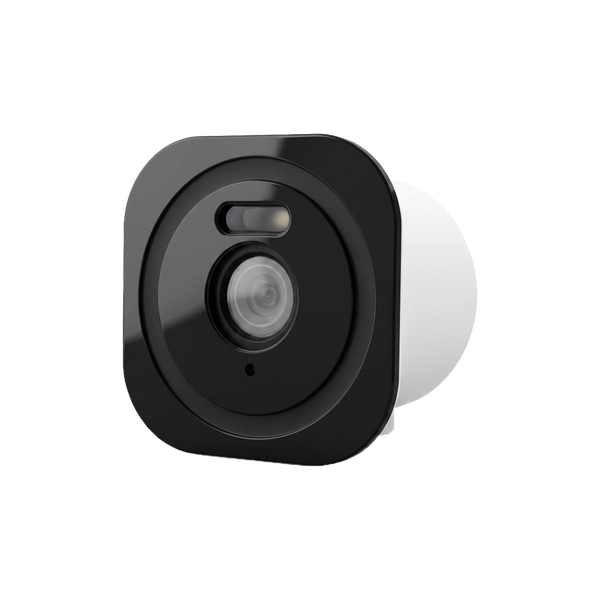
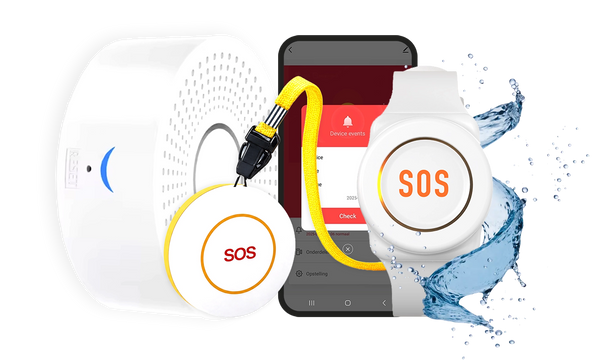
Neroo's cameras and video doorbells store recordings locally, with no mandatory cloud subscription. Combine them with a wireless alarm system for your home.
See the options
A memory card in your camera means storage without a monthly fee. But how much actually fits on it? A few hours, a few days or a few months? The honest answer is that it varies per camera and per setting. With one simple calculation, though, you get a long way. In this article you'll read how that calculation works, with worked examples, and what else to look out for with the card itself.
How to calculate it
How much space a recording takes up depends on the bitrate: the number of bits the camera writes per second. It is usually expressed in megabits per second (Mbit/s). The calculation is:
storage per hour (GB) = bitrate (Mbit/s) × 3600 seconds ÷ 8 ÷ 1000
You divide by 8 to go from bits to bytes, and by 1000 to go from megabytes to gigabytes. In short: every Mbit/s costs about 0.45 GB per hour of recording.
The bitrate a camera uses depends on three things:
- Resolution: more pixels means more data. A 2K camera needs more space than a 1080P camera at the same compression.
- Compression: the video codec determines how efficiently footage is packed. According to the ITU, which defined the standard, H.265 needs only half the bitrate of H.264 for comparable image quality. The Neroo® Cam, the Havic SolarCam and the Neroo® Vision support H.265; the BellMate Ultra and the Wally use H.264.
- The image itself: a calm image of an empty driveway compresses better than a tree swaying back and forth or a busy street.
The exact bitrate is not always listed in a camera's specifications. That is why we work with example values below.
Worked examples: continuous recording
In the table we calculate with three example bitrates. After formatting, a card has slightly less space than stated on the packaging; we therefore calculate with 60 GB usable for a 64 GB card and 120 GB for a 128 GB card. These are rough estimates. The real result depends on your camera, the resolution set and what happens in the frame.
| Bitrate (example) | Per hour | Per day continuous | 64 GB card | 128 GB card |
|---|---|---|---|---|
| 1 Mbit/s | approx. 0.45 GB | approx. 11 GB | approx. 133 hours (5.5 days) | approx. 267 hours (11 days) |
| 2 Mbit/s | approx. 0.9 GB | approx. 22 GB | approx. 67 hours (2.8 days) | approx. 133 hours (5.5 days) |
| 4 Mbit/s | approx. 1.8 GB | approx. 43 GB | approx. 33 hours (1.4 days) | approx. 67 hours (2.8 days) |
Two things stand out. Doubling the bitrate halves the recording time. And a card twice as large doubles it. So if you want to keep more days, a lower resolution or a more efficient codec helps just as much as a bigger card.
Recording on motion only

The biggest difference isn't made by the card, but by the recording mode. A camera that only records when something moves writes a fraction per day of what a camera running 24 hours does. With the Wally, for example, recording starts as soon as the motion sensor detects something. Which recording modes your camera has is shown in the app or the manual.
A worked example at 2 Mbit/s and a 64 GB card (60 GB usable):
| Situation (example) | Recording per day | Card full after about |
|---|---|---|
| Continuous recording, 24 hours a day | approx. 22 GB | 2.8 days |
| Busy front door: 1 hour of motion per day in total | approx. 0.9 GB | just over 2 months |
| Quiet back garden: 10 minutes of motion per day in total | approx. 0.15 GB | over a year |
These are estimates too. Swaying branches, passing cars or a cat in the garden can push up the number of recordings considerably. So set the sensitivity and detection zone carefully; that saves storage and unnecessary notifications.
What happens when the card is full?
With many cameras that use a memory card, the oldest recordings are automatically overwritten once the card is full. This is called loop recording. The card is then never really full, but the oldest footage does disappear. If a camera doesn't work this way, it stops recording until you free up space yourself. How your camera handles this is explained in the manual or the app.
In practice: if something has happened, set aside the footage you need as soon as possible, before it is overwritten.
Which memory card fits your camera?
Look at three things when choosing a card:
- Maximum capacity of the camera: a card larger than the camera supports won't work, or won't work properly. The BellMate and BellMate Ultra take a microSD card up to 128 GB, the OutView up to 256 GB and the Havic SolarCam up to 512 GB. The Neroo® Vision stores on the tablet, on an SD card up to 128 GB or a hard drive up to 8 TB.
- Speed class: video requires a constant write speed. The SD Association therefore sets minimum write speeds with speed classes. Class 10 (C10) stands for at least 10 MB/s, UHS Speed Class 3 (U3) for at least 30 MB/s. 10 MB/s is 80 Mbit/s: well above the example bitrates of 1 to 4 Mbit/s in this article.
- Card type: cards larger than 32 GB are SDXC cards and use the exFAT file system by default, according to the SD Association. Preferably format a new card via the camera or the app, so that it is in the correct format.
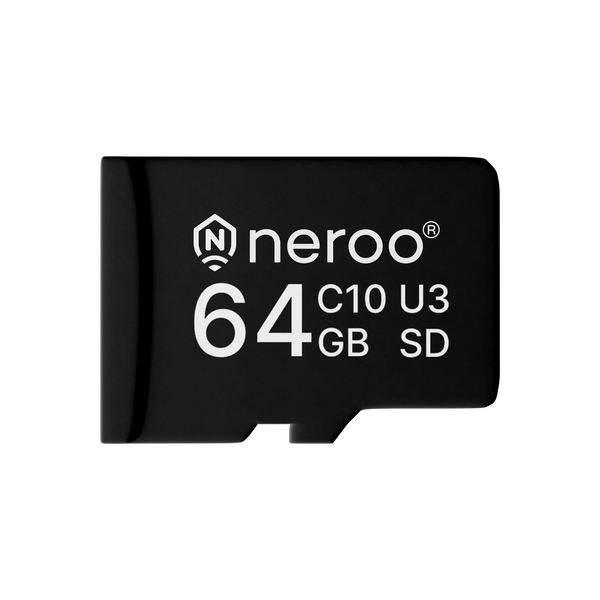
Neroo sells its own 64 GB memory card (C10, U3). The reason is given in the product description: not every card on the market works equally well in cameras, and this card is matched to Neroo's devices.
How long may you keep footage?
A bigger card doesn't mean you may keep everything for a long time. If part of the public road is in view, the Dutch Data Protection Authority (Autoriteit Persoonsgegevens) says, for the Netherlands: keep the footage as briefly as possible and delete it as soon as you no longer need it, for example after 24 hours. Also check whether your camera can delete footage automatically; that tip comes from the AP itself. You can read more about the Dutch rules in Can I install a camera on my house? Still unsure which camera suits you? See what to look for when buying a security camera.
So how many recordings fit on a memory card?
Allow about 0.45 GB per hour per Mbit/s: with continuous recording at 2 Mbit/s, a 64 GB card is full after almost three days, whereas with motion recording you can easily go weeks to months.


Our solution
Cameras with memory card storage
Neroo's cameras and video doorbells store recordings locally, with no mandatory cloud subscription. Combine them with a wireless alarm system for your home.
See the options
Frequently asked questions
How many hours of video fit on a 64 GB memory card?
With continuous recording at 2 Mbit/s, about 67 hours, almost three days. At 1 Mbit/s it is about double that, at 4 Mbit/s half. These are estimates: the real bitrate varies per camera, resolution and setting.
What happens when your camera's memory card is full?
With many cameras, the oldest recordings are then automatically overwritten (loop recording). If your camera doesn't work this way, it stops recording until you free up space. Check the manual or app to see how your camera handles this.
Is 64 GB enough for a security camera?
For a camera that only records on motion, often yes. In our worked example with one hour of motion per day in total at 2 Mbit/s, a 64 GB card is only full after just over two months. With continuous recording, that happens after a few days.
Which memory card do you need for a camera?
A microSD card that is no larger than what the camera supports and that achieves a constant write speed. Class 10 stands for at least 10 MB/s and U3 for at least 30 MB/s, well above the 1 to 4 Mbit/s in our worked examples. Neroo's memory card is 64 GB, C10 and U3.
How long may you keep camera footage?
As briefly as necessary. If public road is in view, the Dutch Data Protection Authority (Autoriteit Persoonsgegevens) advises deleting footage as soon as you no longer need it, for example after 24 hours. If you need footage for a police report, set it aside.
Sources and references
- SD Association, Speed Class Standards for Video Recording — accessed September 2026
- SD Association, Capacity (SD/SDHC/SDXC/SDUC) — accessed September 2026
- ITU (International Telecommunication Union), New video codec to ease pressure on global networks (2013) — accessed September 2026
- Autoriteit Persoonsgegevens (Dutch Data Protection Authority), Camera's bij het eigen huis — accessed September 2026


