















Short answer: There's no official classification, but the most useful distinction is what happens when the alarm goes off. That gives four types: a local alarm with just a siren, an alarm that alerts you via an app, an alarm with a SIM card that sends texts and calls, and an alarm connected to a professional monitoring centre. The first three can work without a subscription.
Our solution
Alarm systems without a subscription
Notifications in the app, and with the ShieldLink® Pro and Elite also via text message and call. You stay in control, with no monthly contract.
View the options
Search for types of alarm systems and you'll find lists that go in all directions: burglar alarm versus fire alarm, wired versus wireless, with or without a camera. Useful to know, but it tells you little about the question that matters most in practice: what happens when the alarm goes off, and who takes action? That's why in this article we classify alarm systems by how the alarm is followed up. That leaves four types.
Why classify by response?
There is no official classification into four types. There's no law or standard that ranks alarm systems this way, and we didn't find such a list at the Dutch police or the CCV (Dutch Centre for Crime Prevention and Safety) either. Some insurers do make a similar distinction, though. The British insurer Aviva, for example, compares bells-only alarms, monitored alarms and smart systems with an app.
The classification below is our own, and follows the same idea. A sensor that detects an open door or movement works roughly the same in every system. The difference lies in what happens next: does it stay at noise on the spot, do you get a message, or does someone else take over the follow-up? The types build on each other. A system that sends texts almost always has a siren and an app too.
1. Local alarm: just a siren
The simplest form. If a sensor detects something while the system is armed, a siren goes off, often with a flashing light. Nothing else happens: no message goes out.
The aim is to cut a break-in short. Noise attracts attention and makes it unattractive for a burglar to stay. Whether anyone responds depends on neighbours and passers-by. If you're not home yourself, you only hear about it afterwards.
A siren is therefore the basis of every alarm system, including the three types below. But as the only layer it's limited: you don't know what's happening while you're away.
2. Alarm with app notifications
With this type, the control panel is connected to the internet, usually via your Wi-Fi. If the alarm goes off, you get a push notification on your phone in addition to the siren. In the app you can see which sensor triggered the alarm, and you can arm or disarm the system remotely. Many systems also let you give others access, so that a housemate or neighbour, for example, also sees the alert.
This is the most common form for most homes. The caveat: an app notification needs internet. If the Wi-Fi or the power to your router fails, the siren keeps working, but the message only arrives once the connection is back.
3. Alarm with SIM card: text and call
A control panel with a SIM card slot has a second route to you: the mobile network. If the alarm goes off, the control panel sends a text message and calls you. That also works if the Wi-Fi or internet at home has failed, or in a place with no Wi-Fi at all, such as a shed or holiday home.
You do need a SIM card from a provider of your choice; what it costs depends on your plan. Read more in Can an alarm system work without Wi-Fi?
4. Alarm with monitoring centre or alarm receiving centre
With the fourth type, the signal doesn't go (only) to you, but to a private alarm receiving centre, often called a monitoring centre. Staff there work day and night according to an agreed procedure: calling you or a keyholder, sometimes sending a security guard to check, and calling for help if needed. In the Netherlands, private alarm receiving centres need a licence from Justis (the Dutch screening authority) under the Wet particuliere beveiligingsorganisaties en recherchebureaus (Wpbr, the Dutch Private Security Organisations and Detective Agencies Act).
For businesses, the chain can go even further. With Live View, the Dutch police can watch live camera footage via a connected alarm receiving centre, for example at a shop or café.
This type almost always works with an ongoing subscription. What that costs in practice is explained in What does Verisure cost? Neroo doesn't supply this type: our systems alert you, not a monitoring centre.
The four types side by side
| Type | Who hears the alarm? | During an internet outage | Ongoing costs |
|---|---|---|---|
| 1. Local alarm | Everyone within earshot | Siren works as normal | None |
| 2. App notifications | You and anyone you give access in the app | Siren works, app notification arrives later | None, with a system without a subscription |
| 3. SIM card | You, via text message and phone call | Alert goes via the mobile network | Only the SIM card with your provider |
| 4. Monitoring centre | Staff at the alarm receiving centre, who alert you or others | Depends on the system's connection | Monthly subscription |
And wired or wireless?
A distinction you often come across is wired versus wireless. That's about something else: how the sensors are connected to the control panel. A wired system has cables running through the home, a wireless system works with radio signals. Wireless sensors use licence-exempt frequencies, which according to the Rijksinspectie Digitale Infrastructuur (RDI, the Dutch Authority for Digital Infrastructure) you share with other devices, such as remote controls and weather stations.
For the four types it makes no difference: both a wired and a wireless system can give a local alarm, send app notifications, send texts or connect to a monitoring centre. Which connection suits your situation is explained in Wireless or wired alarm system? How to choose for each situation.
Where do the Neroo systems fit?
Neroo's ShieldLink® systems combine the first three types, without a subscription.

A Neroo system stacks the types: the control panel sounds the alarm on the spot, the app alerts you wherever you are, and with a SIM-card control panel a text message and a phone call follow too. If one route fails, you still have another.
- App notifications: the ShieldLink® Lite and Plus. The Plus also has a built-in siren and an English-language colour touchscreen.
- App plus text and call: the ShieldLink® Pro and Elite have a built-in siren and send alerts via the app and, with a SIM card, also via text message and call. The control panel has a backup battery and keeps working for up to 24 hours during a power cut.
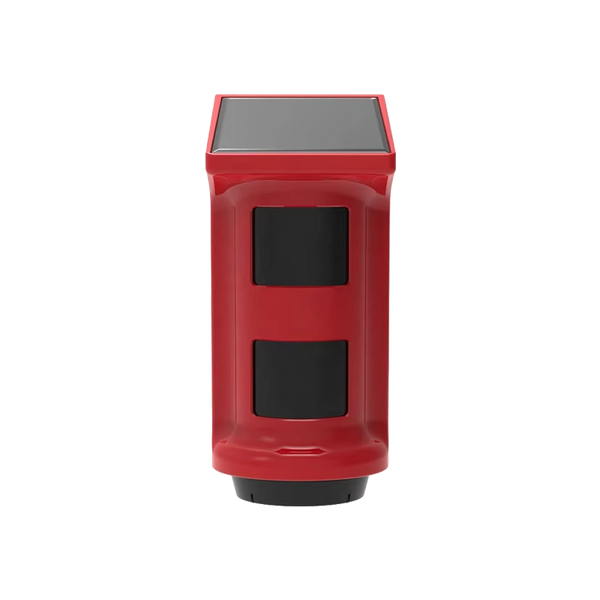
- More sound: if you want to strengthen the local layer, add an extra siren, such as the PlugAlert indoor siren or the solar-powered ShieldHorn outdoor siren.
How the chain from sensor to alert works exactly is explained in How does a wireless alarm system work?
Which type suits you?
That depends mainly on who needs to take action when the alarm goes off.
- If you mainly want a burglar to get a fright and leave, a siren is the core. It's part of all four types.
- If you want to know straight away what's going on yourself, you need a notification on your phone: type 2.
- If there's no internet at that location or it's unreliable, or you want a second route during a power or internet outage, you end up with type 3.
- If you want someone else to take over the follow-up, even if you don't answer, type 4 is the right fit. That comes with a subscription.
Whichever type you choose, an alarm is the finishing touch to your security and not a replacement for good locks and hinges. The Dutch police state that homes with the Politiekeurmerk Veilig Wonen (the Dutch police quality mark for secure housing) are up to 90% less likely to suffer a successful burglary, and describe an alarm as especially deterrent when it's visible, for example with stickers.
So what are the four types of alarm systems?
Classified by response, they are a local alarm with just a siren, an alarm with app notifications, an alarm with a SIM card that sends texts and calls, and an alarm connected to a monitoring centre, with only the last one requiring a subscription.


Our solution
Alarm systems without a subscription
Notifications in the app, and with the ShieldLink® Pro and Elite also via text message and call. You stay in control, with no monthly contract.
View the options
Frequently asked questions
Is there an official classification into four types of alarm systems?
No. There's no law or standard that divides alarm systems into four types. In this article we classify them by response: just a siren, a notification via the app, an alert via text message and call, or a connection to a monitoring centre. Other classifications look at wiring or at the type of hazard.
What is the difference between an alarm with an app and an alarm with a SIM card?
An app notification goes via the internet, usually via your Wi-Fi. If that fails, the notification only arrives later. A control panel with a SIM card sends a text message and calls you via the mobile network, so it also works if the Wi-Fi or internet has failed.
Do you need a subscription for an alarm system?
Only if you want a monitoring centre to handle the follow-up. A local alarm, an alarm with an app and an alarm with a SIM card can work without a subscription with the supplier. You do pay your provider for a SIM card, depending on your plan.
Will the police come when my alarm goes off?
An alarm without a monitoring centre alerts you, not the police. If you see or hear for yourself that a break-in is happening at that moment, for example live via a camera, call 112. With a monitored alarm, the alarm receiving centre assesses the alert and calls for help if necessary.
Is a wireless alarm system a separate type?
No. Wireless refers to the connection between the sensors and the control panel, not to who gets alerted. A wireless system can fall into any of the four types, just like a wired system.
Sources and references
- Politie (Dutch police), Politiekeurmerk Veilig Wonen (in Dutch) — consulted September 2026
- Politie (Dutch police), What is Live View? (in Dutch) — consulted September 2026
- Justis (Dutch screening authority), What is the Wet particuliere beveiligingsorganisaties en recherchebureaus (Wpbr)? (in Dutch) — consulted September 2026
- Rijksinspectie Digitale Infrastructuur (Dutch Authority for Digital Infrastructure), Licence-exempt frequency use (in Dutch) — consulted September 2026
- Aviva (insurer, United Kingdom), Which alarm system should you get for your home? — consulted September 2026


