















Short answer: Not necessarily. With the BellMate, live video, a notification when someone rings and talking to your visitor work without a subscription. A subscription is mainly about storing and replaying recordings in the cloud. With a microSD card in the doorbell, you store recordings locally, with no monthly fees.
Our solution
Video doorbell without a subscription
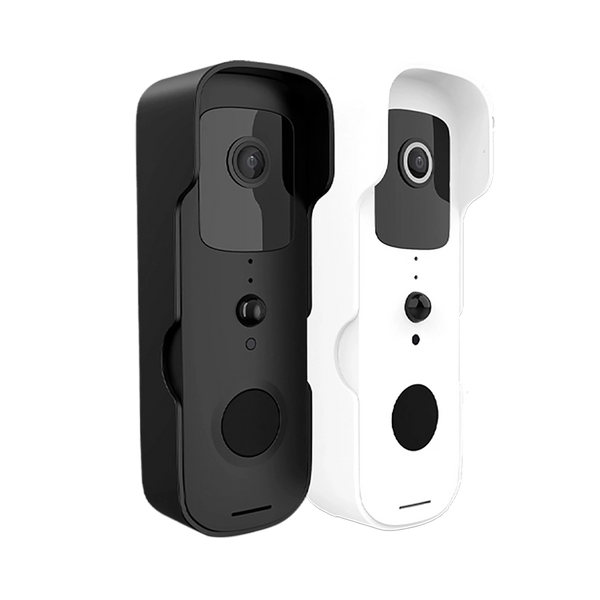
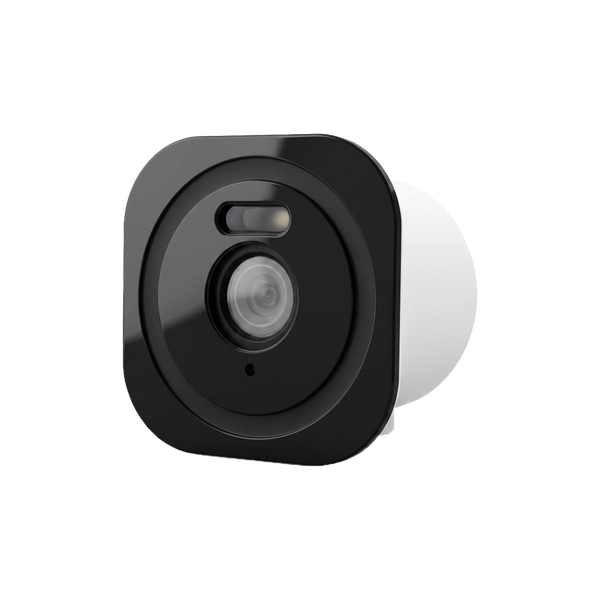
The BellMate shows live video, notifies you of rings and motion on your phone and stores recordings on a microSD card. Cloud storage is optional, not required.
View the options
Anyone looking for a video doorbell soon runs into the question of whether there is a monthly fee on top. With one doorbell you need a subscription to replay footage, with another you don't. In this article you'll read what you do and don't get without a subscription, what you actually pay for with a subscription and how local storage on a memory card works.
What works without a subscription?
The functions you buy a video doorbell for happen live: someone rings, the doorbell sends a notification to your phone via your Wi-Fi and you watch and talk along. No storage is needed for that. The Dutch consumer association Consumentenbond does recommend checking for every doorbell what you can do without a subscription, because with some doorbells you need a subscription to replay footage.
This is what it looks like with Neroo's BellMate:
| Function | Without a subscription | Explanation |
|---|---|---|
| Live video on your phone | Yes | 1080P video, with infrared night vision |
| Notification on ring or motion | Yes | Via the app on your smartphone |
| Talking to the visitor | Yes | Two-way audio via your phone |
| Chime in the house | Yes | Via the ShieldLink® control panel or a separate chime |
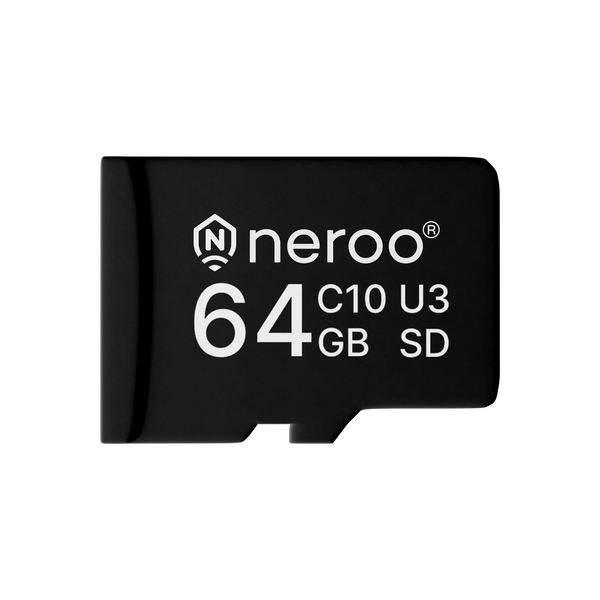
| Replaying recordings | Yes, with a microSD card | Card up to 128 GB, not included with the doorbell as standard |
| Storing recordings outside the doorbell | No | Possible with optional paid cloud storage |
One condition always applies: the BellMate works via Wi-Fi. Without a Wi-Fi connection at the front door, you get no notification and no live video. So check beforehand whether your Wi-Fi signal reaches the door.
What do you pay for with a subscription?
A video doorbell subscription is mainly about storage: your recordings go via the internet to the manufacturer's servers, where you replay them later. According to the Consumentenbond, with some doorbells smart features are also only available with a paid subscription, so that is something to check beforehand too. The Consumentenbond distinguishes four ways a doorbell can store footage:
- Memory card: the recordings are stored on a card in the doorbell itself.
- Base station: the recordings are stored on a separate unit in the house.
- Your own network storage (NAS): some doorbells can store to your own storage drive on the network.
- Cloud: the recordings go to the manufacturer's servers, usually for a monthly fee.
What such a subscription costs varies by brand. In an overview by the Dutch Consumentenbond (updated in 2021), the cloud subscriptions of well-known brands ranged from about 2.50 to 18 euros per month, depending on the number of cameras and how long footage is kept (accessed September 2026; current prices may differ). So always calculate it over a few years: a monthly fee adds up faster than the purchase price of the doorbell itself.
Locally on a memory card or in the cloud?

With local storage, your recordings stay in the doorbell, on a microSD card. You pay once for the card and nothing after that. With cloud storage, the footage is on a server outside your home, so it is kept even if something happens to the doorbell. That usually comes with a monthly fee.
Both involve their own trade-off:
- Memory card: no monthly fees and your footage isn't on someone else's server. However, the recordings are in the device itself; the Consumentenbond points out that a burglar can take a camera away, recordings and all.
- Cloud: recordings are stored separately from the device. You pay on an ongoing basis and your footage is held by the manufacturer.
With the BellMate and the BellMate Ultra, you choose. As standard, you work with a microSD card of up to 128 GB. If you also want cloud storage, that is available as a paid option, but it isn't necessary. How many recordings fit on a card depends on how often the doorbell records.
What can you store at the front door?
A video doorbell is a camera, so privacy rules apply here too. The Dutch Data Protection Authority (Autoriteit Persoonsgegevens, AP) is clear: in the Netherlands you may only film your own property, and in principle not the public road. Does your front door border directly on the pavement, so that a bit of street inevitably comes into view? Then the AP advises keeping the footage as briefly as possible or not at all. For a video doorbell in that situation, the AP mentions watching live when someone rings. Also let visitors know they are being filmed, for example with a sticker.
So set the viewing direction and motion detection so that the doorbell mainly sees your own doorstep and door. You can read more about what is and isn't allowed in Can I install a camera on my house?
BellMate or BellMate Ultra?
Both doorbells work without a subscription, with 1080P video, infrared night vision, two-way audio, an IP65 housing and storage on a microSD card of up to 128 GB. They run on a rechargeable battery, so you don't need wiring at the door. The differences:
- Wi-Fi: the BellMate works on 2.4 GHz. The BellMate Ultra supports dual-band Wi-Fi (2.4 and 5 GHz), which helps if your network is busy.
- Battery: the BellMate has a 5200 mAh battery, the BellMate Ultra a 9600 mAh one.
- Viewing angle: the BellMate has a 155° viewing angle.
You can link both to a ShieldLink® alarm system and control them in the same app as your alarm. The alarm control panel then also works as a chime. If you want a chime in more places in the house, there is a separate plug-in chime. How to weigh those options against each other is explained in how to hear the doorbell inside the house.
So do you need a subscription for a video doorbell?
No, not for live video, notifications and talking to your visitor; you only need a subscription if you want to store recordings in the cloud, and with a microSD card in the doorbell you can also do that locally without monthly fees.


Our solution
Video doorbell without a subscription
The BellMate shows live video, notifies you of rings and motion on your phone and stores recordings on a microSD card. Cloud storage is optional, not required.
View the options
Frequently asked questions
Does a video doorbell work without a subscription?
Yes. With the BellMate, live video, notifications on rings or motion and talking to your visitor work without a subscription. For recordings, you insert a microSD card; cloud storage is optional and paid.
Can you replay recordings without a subscription?
Yes, if the doorbell stores locally. The BellMate and BellMate Ultra support a microSD card of up to 128 GB. The card isn't included as standard, so you order it separately.
Does a video doorbell work without Wi-Fi?
The BellMate only works via Wi-Fi. Without a Wi-Fi connection at the front door, you get no notification and no live video on your phone. So check beforehand whether your Wi-Fi signal reaches the door.
Do you need a chime with a video doorbell?
Not necessarily, because you get a notification on your phone. If you have a ShieldLink alarm system, the control panel works as a chime. If you want to hear the doorbell in more places in the house, you add a separate plug-in chime.
Are you allowed to store footage from your video doorbell?
Only film your own property. If the public road inevitably comes into view, the Dutch Data Protection Authority (AP) advises keeping footage as briefly as possible or not at all; for a video doorbell, the AP then mentions watching live when someone rings. Make it clear with a sticker that there is a camera.
Sources and references
- Consumentenbond (Dutch consumer association), Koopadvies deurbel met camera? Hier moet je op letten — accessed September 2026
- Consumentenbond (Dutch consumer association), Wat kost cloudopslag bij een beveiligingscamera? (updated 16 November 2021) — accessed September 2026
- Autoriteit Persoonsgegevens (Dutch Data Protection Authority), Camera's bij het eigen huis — accessed September 2026


