















Short answer: Start with the location: indoors or outdoors, and the IP rating that goes with it. Then look at resolution, night vision, where the footage is stored (memory card or cloud), the power supply (adapter, battery or solar panel) and whether your Wi-Fi reaches that spot. An app that also controls your alarm and a privacy mode for indoors round it off.
Our solution
Cameras and alarm without a subscription
Indoor cameras, solar outdoor cameras and complete camera kits with local storage. Combine them with a wireless alarm system for your home.
View the options
Buying a security camera seems simple, until you put the specifications side by side: 2K, IP66, dual-band, H.265, PIR. Which of those numbers really matter? Below we go through eight points, in the order in which it's best to weigh them up. For each point you'll also see how Neroo's cameras score.
1. Indoors or outdoors: the IP rating
The first question is where the camera will hang. An indoor camera doesn't need to withstand rain, an outdoor camera does. How well a housing is protected against dust and water can be read from the IP code in the international standard IEC 60529. The first digit is about dust, the second about water:
- IP65: dust-tight and resistant to water jets.
- IP66: dust-tight and resistant to powerful water jets.
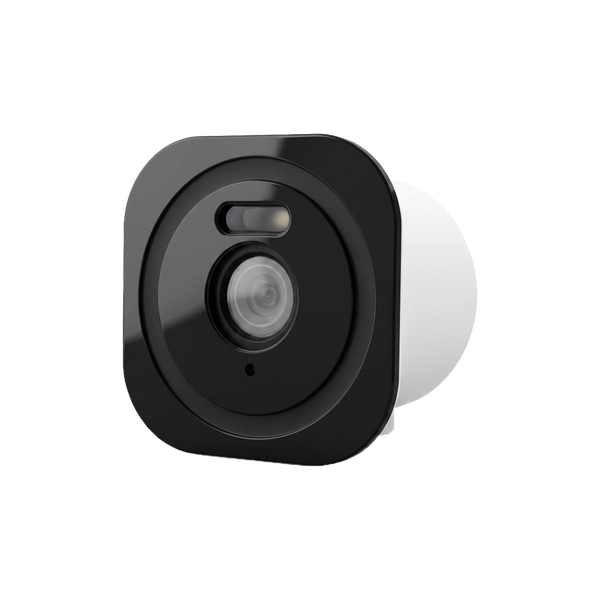
The Havic SolarCam and the cameras in the Neroo® Vision kit are IP66, the Wally and the BellMate Ultra video doorbell IP65. The Neroo® Cam is an indoor camera. If you want a view outside without mounting anything on the façade, there's also an in-between option: the OutView is a window camera you place indoors against the glass and that looks out through the window.
2. Resolution: how much detail do you need?
The resolution determines how much detail you see, especially if you later zoom in on a face or a number plate. Full HD (1080P) is 1920 × 1080 pixels, about 2 megapixels. Cameras sold as 2K are above that. Under that label you'll find different resolutions, even within Neroo's range: the OutView has 2304 × 1296 pixels, the Havic SolarCam 2880 × 1620. So look at the number of pixels or megapixels in the specifications.
- Neroo® Cam: 2K with a 3MP sensor.
- Havic SolarCam: 2K, 2880 × 1620 pixels (5MP camera).
- Wally: 2K with a 3MP camera.
- Neroo® Vision: 5MP cameras, 2560 × 1920 pixels.
- OutView: 2304 × 1296 pixels (3MP).
- BellMate Ultra: 1080P.
More pixels does mean more data. A camera with a higher resolution fills a memory card faster, unless it compresses more efficiently. How that works out is explained in how many recordings fit on a memory card.
3. Night vision
Many moments when you want to see something happen in the dark. The Dutch consumer association Consumentenbond notes that most cameras have infrared light: the camera illuminates the surroundings with light you can't see and shows a black-and-white image. All the Neroo cameras mentioned have infrared night vision. The Wally goes a step further: when there is motion, the built-in light switches on and the camera starts recording. The OutView uses a bright F1.0 lens, so the image stays in colour for as long as possible in low light.
4. Storage: memory card or cloud
Where the footage ends up determines whether you keep paying monthly after the purchase. The Consumentenbond therefore advises checking how recordings are stored and whether a paid subscription is needed for that.
- Local: on a microSD card in the camera, or with a camera system on a central recorder. No monthly fee, and your footage stays at home.
- Cloud: the footage is on a server outside your home. That usually costs a monthly fee, but the recordings are then separate from the camera.
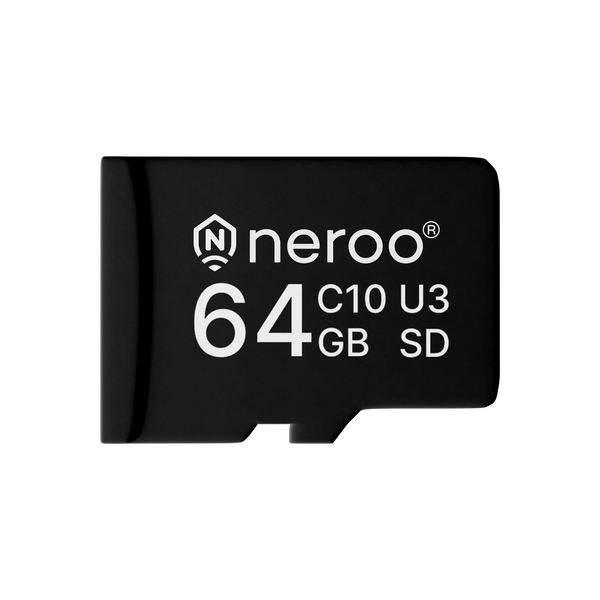
All cameras in this overview store locally. The Havic SolarCam takes a microSD card of up to 512 GB, the OutView up to 256 GB and the BellMate Ultra up to 128 GB. The Neroo® Vision stores everything on the included tablet, on an SD card of up to 128 GB or a hard drive of up to 8 TB (not included). With the Neroo® Cam, the Havic SolarCam, the Neroo® Vision and the BellMate Ultra you can also opt for paid cloud storage. The OutView also supports cloud storage alongside the memory card.
5. Power: adapter, battery or solar panel

Wireless doesn't always mean cable-free. Many cameras send their image wirelessly, but still need power. A camera on an adapter works continuously, but you need a power socket nearby. A battery camera can be hung anywhere, but you have to recharge it now and then. A solar panel tops up the battery and largely takes that chore away.
- Havic SolarCam: 10400 mAh battery with integrated solar panel. Fully wireless, even in places without a power point.
- Wally: 5200 mAh battery with solar panel, handy for a shed, motorhome or boat.
- Neroo® Cam: runs on an adapter (DC 5V).
- Neroo® Vision: each camera only needs power via the included adapter; the image goes wirelessly to the tablet.
- OutView: powered via USB-C, so not dependent on a battery.
6. Wi-Fi: 2.4 or 5 GHz
A Wi-Fi camera is only as good as the signal where it hangs. The Dutch provider Odido explains the difference between the two Wi-Fi bands like this: 2.4 GHz passes better through walls, doors and ceilings and therefore has more range, but gets congested more quickly. 5 GHz is faster, but has less range.
For a camera on the back wall or in the shed, range is therefore often more important than top speed. A dual-band camera can work with both bands, so you choose the best one per location. The Neroo® Cam, the Havic SolarCam, the OutView and the BellMate Ultra are dual-band; the Wally works on 2.4 GHz. The Neroo® Vision cameras form their own wireless network and pass the signal on to each other towards the tablet, so the range grows with every camera you add.
Test the Wi-Fi signal at the intended spot with your phone before you start drilling.
7. App, notifications and link with your alarm
You mainly use a camera through the app. The Consumentenbond recommends looking at the app before you buy a camera. Pay attention to three things:
- Motion notifications: the Neroo® Cam, Havic SolarCam, Wally, Neroo® Vision and BellMate Ultra send a notification to your phone when they detect motion. The Havic SolarCam and the Neroo® Vision also recognise people, so you're warned in a more targeted way.
- One app for camera and alarm: the Neroo® Cam and the BellMate video doorbells work in the same free app as Neroo's alarm systems. If your alarm goes off, you can watch live straight away in the same app.
- Talking back: with two-way audio you can talk through the camera, as with the Havic SolarCam, the Wally, the OutView and the Neroo® Vision.
Does a camera also work without internet? That varies per model. After installation, the Wally keeps working independently without Wi-Fi: it detects motion, switches on the light and stores footage on the memory card. Of course, you won't have live viewing or notifications then.
8. Privacy mode and privacy
An indoor camera that's always watching doesn't feel comfortable for everyone when you're home yourself. A privacy mode temporarily switches the camera off. The Neroo® Cam and the Wally have this feature. You can also turn the rotating Neroo® Cam (355° horizontal and 60° vertical) away via the app.
If the camera hangs outside, the rules of the Dutch Data Protection Authority (Autoriteit Persoonsgegevens, AP) apply in the Netherlands: only film your own property. What that means in practice is explained in Can I install a camera on my house? Also set your own strong password straight away; the AP advises against continuing to use a manufacturer's password.
Which Neroo camera fits where?
| Camera | Location | Power | Storage | Wi-Fi |
|---|---|---|---|---|
| Neroo® Cam | Indoors, rotating | Adapter | microSD, cloud optional | 2.4 + 5 GHz |
| Havic SolarCam | Outdoors (IP66): garden, driveway, grounds | Battery + solar panel | microSD up to 512 GB, cloud optional | 2.4 + 5 GHz |
| Wally | Outdoors (IP65): shed, motorhome, boat | Battery + solar panel | Memory card | 2.4 GHz |
| Neroo® Vision | Outdoors (IP66), up to 8 cameras | Adapter per camera | Tablet: SD card or hard drive | Own network; tablet 2.4 GHz |
| OutView | Indoors behind the window | USB-C | microSD up to 256 GB, cloud possible | 2.4 + 5 GHz |
| BellMate Ultra | Front door (IP65) | Rechargeable battery | microSD up to 128 GB, cloud optional | 2.4 + 5 GHz |
Not sure whether you need a subscription for a video doorbell? Then read Do you need a subscription for a video doorbell?
So what should you look for when buying a security camera?
Choose first by location and IP rating, then check resolution, night vision, local storage, power and the Wi-Fi signal on the spot, and prefer a camera that works in the same app as your alarm.


Our solution
Cameras and alarm without a subscription
Indoor cameras, solar outdoor cameras and complete camera kits with local storage. Combine them with a wireless alarm system for your home.
View the options
Frequently asked questions
What resolution does a good security camera have?
Full HD (1080P) is a common baseline. 2K cameras such as the Neroo Cam, Havic SolarCam and Wally give more detail, so you can zoom in further. Look at the number of pixels, because different resolutions fall under 2K. A higher resolution does need more storage space.
Do you need a subscription for a security camera?
Not if the camera stores locally. All Neroo cameras store footage on a memory card, or on the tablet with the Neroo Vision. With some models you can opt for paid cloud storage.
Does a wireless camera work without a power socket?
Yes, if it runs on a battery. The Havic SolarCam and the Wally have a solar panel that tops up the battery. The Neroo Cam and the Neroo Vision cameras do need an adapter; they only send the image wirelessly.
What IP rating does an outdoor camera need?
For outdoors, choose a housing that keeps out dust and water. IP65 is dust-tight and resistant to water jets, IP66 also to powerful water jets. The Havic SolarCam and the Neroo Vision cameras are IP66, the Wally IP65.
Should a camera have 2.4 or 5 GHz Wi-Fi?
2.4 GHz passes better through walls and reaches further, 5 GHz is faster but has less range. For a camera on the façade or in the shed, range is often more important. A dual-band camera can use both; always test the signal on the spot itself.
Sources and references
- Consumentenbond (Dutch consumer association), Koopadvies beveiligingscamera's? Hier moet je op letten — accessed September 2026
- IEC, IEC 60529: Degrees of protection provided by enclosures (IP Code) — accessed September 2026
- Odido (Dutch telecom provider), Wifi met 2,4 of 5 GHz? Dit is het verschil! — accessed September 2026
- Autoriteit Persoonsgegevens (Dutch Data Protection Authority), Camera's bij het eigen huis — accessed September 2026


